


Lumy-AI Photo Video Generator
4.6197.00 Reviews
App Specs
- Version
- 1.6
- Updated On
- License
- Free
- Downloads
- 500,000+
- Developer
- Ocean Float Mobile
- Categories
- Art & Design
- Platform
- Android
Screenshots

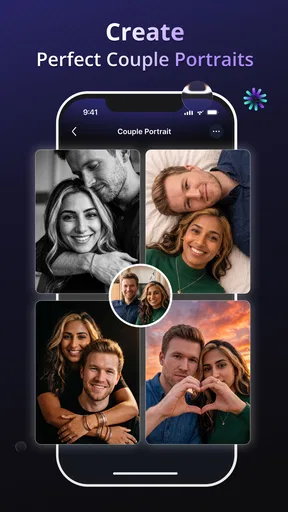
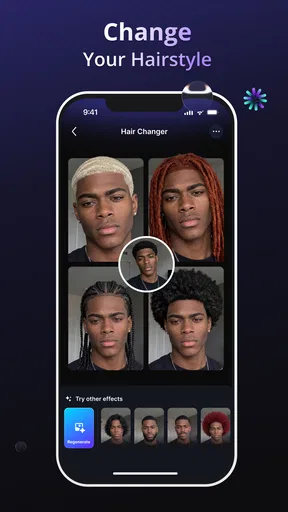
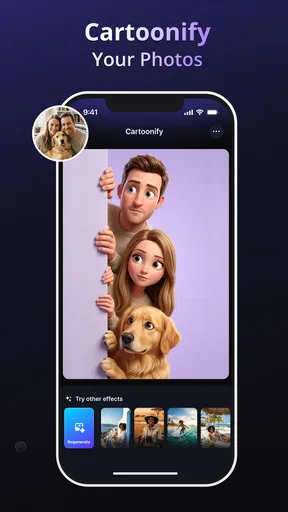
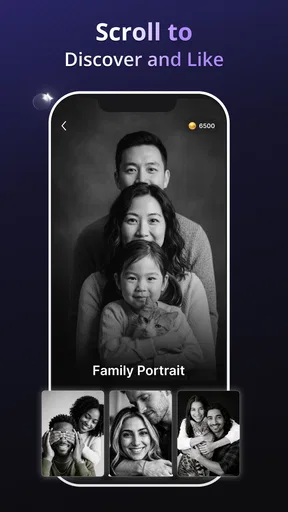
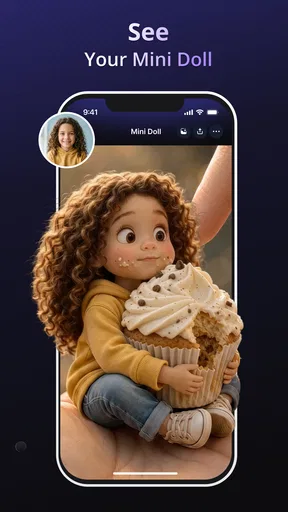
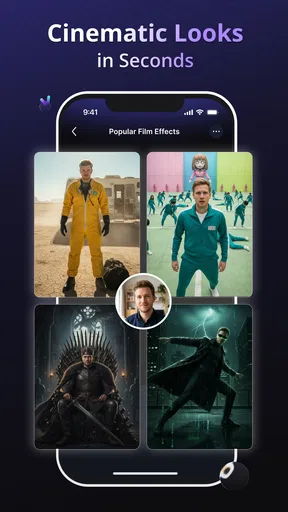
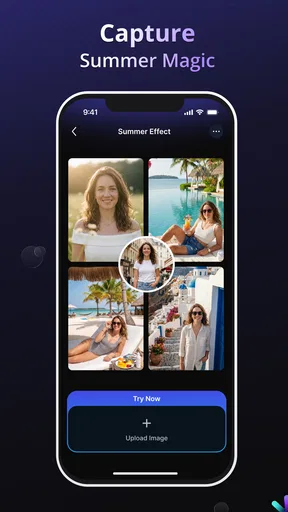
 Analysis by AppCompare
For a quick creative refresh on a phone, I want an editor that can do more than place a filter over a photo. Lumy-AI Photo Video Generator is an art-and-design app from Ocean Float Mobile that brings together text-led artwork, visual effects, background removal and retouching. That mix makes it worth a look if you often turn everyday images into shareable visuals, though I’d treat it as a convenient creative tool rather than a replacement for a full editing suite.
What the current version is built to do
The app is free to install, rated for Everyone, and currently at version 1.3.2. It has a 4.8 average from around 2,500 ratings and over 10,000 installs. Optional in-app purchases range from $1.99 to $44.99 per item, so I’d explore the free experience before deciding whether any paid option fits the way I work. Its stated minimum operating-system requirement is version 7.0.
The useful idea behind Lumy is the combination of creative generation and practical cleanup. Text-to-art tools can help when I have a visual concept but no finished illustration; a background eraser is more direct when I simply need a subject separated from a busy scene. Retouching and effects sit between those jobs, giving me ways to polish an image without moving immediately to a desktop program.
A sensible workflow for everyday images
I’d start with a photo that has one clear subject and a purpose in mind. For a profile image, for instance, I’d remove a distracting background first, check the outline around hair or clothing, and only then try a new visual treatment. Doing those steps in that order helps me judge whether an effect is improving the cutout or merely hiding rough edges.
For a small event post, the text-to-art option is more useful as a way to explore directions than as a promise of a finished design on the first attempt. I’d try a short, concrete prompt, compare the result with the original idea, then refine the wording instead of stacking effects immediately. Keeping a clean source image gives me a fallback if a generated treatment becomes too busy.
Where it fits among editing alternatives
Compared with a basic phone gallery editor, Lumy is aimed at more expressive changes: generating artwork, altering a scene and retouching beyond simple crop or exposure adjustments. Compared with a professional desktop editor, it is better suited to quick experiments and casual, phone-first projects than to precise layer work, detailed masking or a tightly controlled production workflow.
That distinction matters if I’m making a poster or product image where exact edges, consistent colors and repeatable results are important. In that case, I’d use a more specialized editor and treat Lumy as a place to generate a starting concept or test a mood. For a one-off social post or a playful portrait, the faster all-in-one approach may be the more enjoyable choice.
Worth Reading Before You Choose

Baby Panda World Brings Quick Play to Modern Phones, but Its Game Library Feels Busy

ESPN’s Live Game View Makes Following Close Games Easier

QuizzLand Review: A Good Fit for Short Trivia Breaks, Not Every Player

Basketball Stars: Multiplayer Is Fast, but Can It Recover When Matches Go Wrong?

WEBTOON Turns Phone Updates Into a Better Reading Routine

Link to Windows Runs on Shared Habits, Not Social Feeds
Who is likely to enjoy it
Lumy makes the most sense for people who like experimenting with personal photos, making simple visual content, or trying an art treatment without learning a complicated editing interface. It can also suit someone who wants to remove a background and then give the cutout a more finished look in the same general creative session.
I’d skip it if my main need were meticulous professional retouching, a predictable batch workflow, or advanced control over every edit. AI-assisted results can be interpretive, and a visual effect that looks fun on one image may distort details that matter in another. For sensitive portraits, documents, or images that must stay faithful to the original, subtle manual adjustments are the safer route.
First Impressions
Upon downloading Lumy-AI Photo Video Generator, I was immediately impressed by its sleek and user-friendly interface. The app opens up to a clean dashboard where all your creative tools are just a tap away. It's designed in such a way that even if you're not tech-savvy, you won’t feel lost. The layout is intuitive, making it easy to dive right in and start creating.
Features That Shine
One of the standout features of Lumy is its powerful AI-driven tools. These aren’t just your run-of-the-mill filters; they’re intelligent, adaptive, and incredibly creative. The app offers a variety of effects that can completely transform your media. Whether you’re looking to add a dreamy vibe to your vacation pics or turn a simple video into a cinematic masterpiece, Lumy has got you covered.
Here’s a quick rundown of some of the coolest features:
- AI Art Generator: Turn your photos into stunning pieces of art with just a few taps.
- Video Enhancements: Modify lighting, adjust colors, and add music seamlessly.
- Background Replacement: Easily swap out backgrounds without needing any special skills.
- Templates Galore: Choose from a plethora of pre-designed templates for quick edits.
Getting Creative
What I love about Lumy is how it sparks creativity. The AI suggestions are on point, offering adjustments and enhancements that often surpass what I initially envisioned. It’s like having a professional editor guiding you every step of the way. The app allows you to play with your imagination, offering tools that are both powerful and accessible.
For example, I uploaded a rather dull video of a recent road trip, and within minutes, Lumy transformed it into a vibrant, engaging clip complete with a fitting soundtrack. I was honestly amazed at how easy it was to achieve such a professional look.
Performance and Usability
Lumy performs smoothly, with quick processing times even for high-resolution images and videos. The app is optimized to handle large files without crashing or slowing down your device, which is a huge plus. I’ve used other editing apps before that tend to lag, but Lumy seems to handle everything with ease.
The usability is another major win. The tools are well-organized, and there’s a handy tutorial section for anyone needing a bit of guidance. It’s perfect for both beginners and seasoned editors. Plus, the app regularly updates with new features and improvements, which keeps things fresh and exciting.
Small choices that improve the result
A practical habit I’d recommend is saving an untouched copy before applying a generated look or substantial retouch. That gives me room to compare the edited version with the source and decide whether the change genuinely helps. It also prevents a creative experiment from becoming the only version I have when I later want a more natural image.
Background removal deserves a final edge check before sharing. Fine details such as loose hair, transparent objects or a sleeve against a similar-colored wall can be easy to overlook when I’m focused on the overall composition. A plain, contrasting replacement background makes those imperfections easier to spot than a detailed scene does.
For text-led artwork, I’d keep the brief focused on the subject and mood rather than trying to describe every tiny visual detail at once. If the first result is close but not right, changing one part of the prompt at a time makes it easier to understand what influenced the result. This is a better use of an AI tool than repeatedly starting over without a clear comparison.
A realistic use case, with a little restraint
Imagine I take a quick photo of a friend at a café and want to make a cheerful post for a birthday. I could clean up the background, try a colorful treatment, and use the finished image as a starting point for a simple design. I’d still check that the person looks like themselves and that the edit has not made the scene feel artificial. The speed is useful; the final judgment remains mine.
The same approach works for a small hobby project, such as turning a snapshot of a plant or handmade object into a more illustrative image. It is less suitable when the image is evidence, a formal record, or a product photo where accurate appearance matters. In those cases, expressive AI changes can cross the line from presentation into misrepresentation.
Cost, expectations, and the learning curve
Because the app is free to install but offers paid items, I’d avoid assuming that every creative option is included at no cost. I would first identify the exact task I want to accomplish, try the available workflow, and only consider a purchase if it solves a recurring need. That keeps a casual experiment from turning into an impulse spend, especially when a simple crop or adjustment would do.
There is also a difference between an easy interface and guaranteed professional consistency. A clear layout can make it comfortable to test tools, but generated results still need review, and the best choice can vary with the source image. If I’m editing several images that must match closely, I’d test one representative photo first before committing to the same look across the whole set.
For someone deciding whether to try it, the key question is whether they want creative options in one mobile app or maximum control in a specialist editor. Lumy leans toward quick exploration: it can help me move from an ordinary photo toward a more stylized result without requiring a long setup. Someone who already has a precise, established editing workflow may find the extra AI interpretation unnecessary.
How I’d judge its progress
The release date is April 28, 2026, and version 1.3.2 is the current release. Those facts establish a point in the app’s timeline, but they don’t by themselves show which tools have changed between releases. I wouldn’t infer a particular improvement from the version number alone; for a returning user, the useful test is whether the present editing flow handles their regular images more reliably or gives them a genuinely helpful new creative option.
For existing users, that means it is sensible to revisit familiar tasks after an update rather than assume a new version will transform the whole experience. Try the same kind of portrait, cutout or art prompt you already know, then compare the result and the amount of correction it takes. That small check is more informative than judging an update by a new label or a striking sample image.
What I’d watch for over time is practical consistency: whether ordinary photos remain easy to edit, whether the background edges need less cleanup, and whether the balance between free use and optional purchases still feels fair for the tasks I actually do. Those are expectations to assess in use, not promises about future changes. If the app keeps making simple creative work convenient without getting in the way, it has a clear role on my phone.
Final Thoughts
In a world where visual content is king, Lumy-AI Photo Video Generator stands out as a must-have tool for anyone looking to elevate their media game. It’s not just about adding filters; it’s about redefining your images and videos in ways that were previously impossible without professional software.
Whether you’re a social media influencer, a budding photographer, or just someone who loves to capture life’s moments beautifully, Lumy offers something for everyone. It’s easy to use, packed with features, and most importantly, it delivers results that genuinely impress. So, if you haven’t tried it yet, what are you waiting for? Dive into the world of creative possibilities with Lumy today!
My recommendation is a little more specific: I’d try it if I wanted fast, playful edits, text-driven visual ideas or a background cleanup before sharing a picture. I’d keep another editor at hand for exacting work and check each result before posting, especially when a realistic likeness matters. With that expectation, Lumy is a useful creative companion rather than a universal solution, and its free starting point makes it easy to see whether its style suits the way I make images.
Pros
- Intuitive user interface for easy navigation.
- Wide range of creative effects and filters.
- Fast processing with high-quality results.
- Seamless sharing options to social media.
- Regular updates with new features.
Cons
- Requires a stable internet connection.
- In-app purchases can be pricey.
- Occasional bugs in older devices.
- Limited editing tools in free version.
- Large app size may affect storage.
FAQs for Lumy-AI Photo Video Generator
What is Lumy-AI Photo Video Generator and how does it work?
Lumy-AI Photo Video Generator is an innovative app designed to create stunning photos and videos using artificial intelligence. It employs advanced algorithms to enhance images, apply unique filters, and generate creative visuals automatically. Users can transform ordinary photos into artistic masterpieces with just a few taps, making it perfect for both casual users and enthusiasts.
Is Lumy-AI Photo Video Generator available for both Android and iOS?
Yes, Lumy-AI Photo Video Generator is available for download on both Android and iOS platforms. It can be found on the Google Play Store for Android devices and the Apple App Store for iOS devices. Ensure your device meets the app’s compatibility requirements for optimal performance.
What are the key features of Lumy-AI Photo Video Generator?
Lumy offers a range of features including AI-enhanced photo editing, a variety of artistic filters, video generation capabilities, and easy sharing options. The app also allows for batch processing, making it convenient to edit multiple photos or videos at once. Its user-friendly interface ensures that even beginners can navigate and utilize its features effectively.
Are there any in-app purchases or subscription fees in Lumy-AI Photo Video Generator?
Lumy-AI Photo Video Generator is free to download, but it offers in-app purchases for additional features and premium filters. Users can opt for a subscription plan to unlock the full potential of the app, which provides an ad-free experience and access to exclusive content. Pricing details can be found on the app’s store page.
How secure is my data when using Lumy-AI Photo Video Generator?
Lumy prioritizes user privacy and data security. The app employs robust encryption protocols to protect user data and does not store personal information without consent. Additionally, users should review the app’s privacy policy to understand how their data is managed and what security measures are in place to ensure their privacy.


